
Computers
Give a bot a computer
Choose the right desktop or isolated environment for a task.
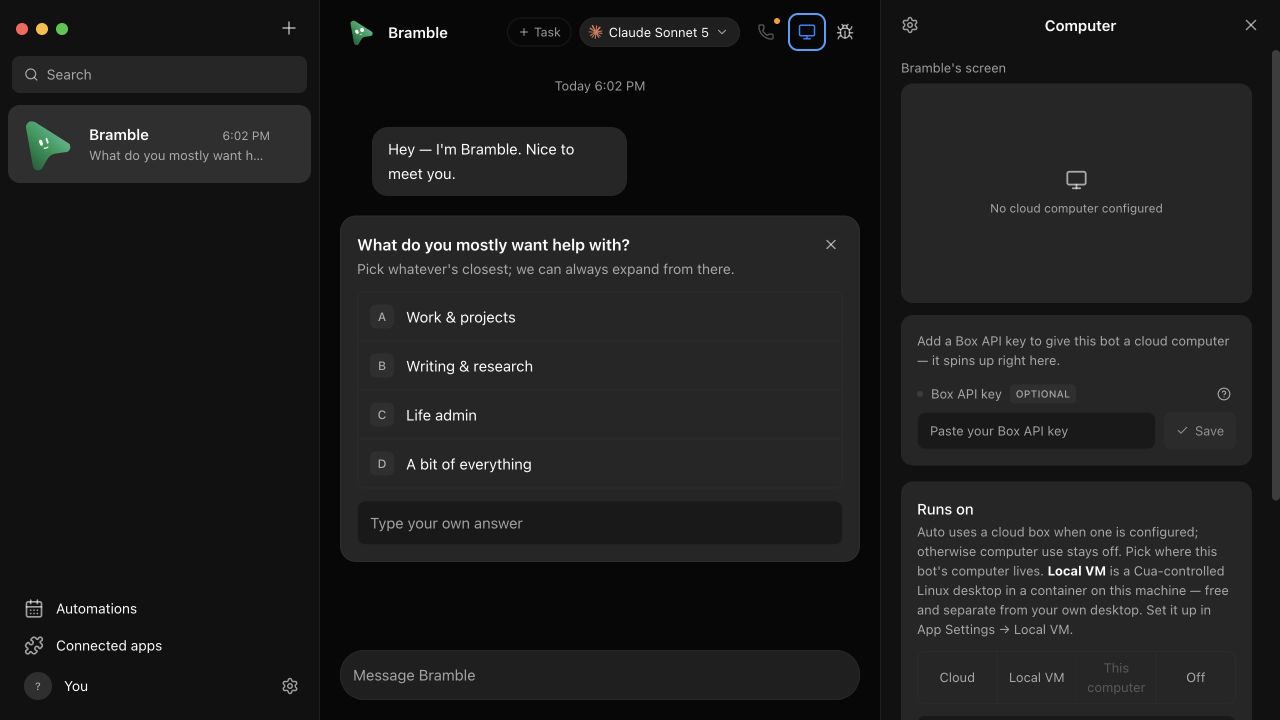
A bot can work without a computer, use the computer running Dash Bot, or work inside an isolated desktop.
| Backend | Isolation | Best for |
|---|---|---|
| This computer | None | Working with local apps and files you explicitly approve |
| Local VM | Containerized desktop | Repeatable browser and desktop work on your machine |
| Box cloud computer | Hosted remote desktop | Always-available isolated Linux work |
| Self-hosted VPS | Hardened container over SSH | Using infrastructure you own |
Auto, local, and cloud selection
Computer selection is explicit per bot. Auto may reuse a ready, verified backend, but it does not silently provision every backend or turn on host control.
Preview and takeover
The Computer panel can show live frames while an agent works. Supported cloud desktops also provide an interactive viewer. Dash Bot opens that viewer in the app when possible, with a browser fallback for external join flows.
Preview is not permission
Starting a screen preview does not grant the bot control. Local input requires a separate opt-in and remains subject to the computer-use safety boundary.