
Dash Bot documentation
Build a team of AI agents that can talk, use tools, operate computers, and keep working on a schedule.
Local-first agent workspace
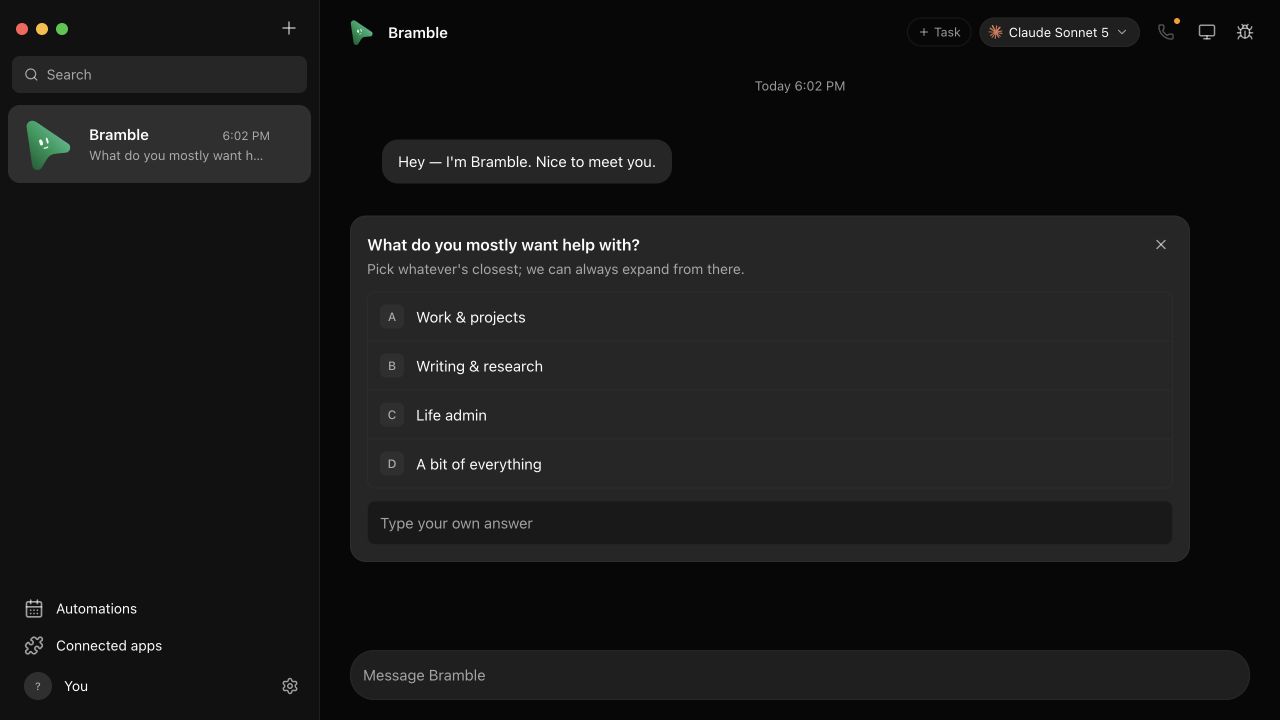
A clean first-run bot. Each conversation belongs to a real agent process, not a simulated contact.
Dash Bot turns agent CLIs into a familiar desktop chat app. Each bot can have its own model, instructions, working folder, connected apps, computer, and recurring work.
Many enginesClaude, Codex, Grok, Cursor, local models, and more
Real toolsApps, files, terminals, browsers, VMs, and cloud desktops
Your machineLocal data and bring-your-own agent subscriptions
Install Dash Bot
Download a signed build or run the app from source.
Create your first bot
Choose an engine, give it a working folder, and send a task.
Connect apps
Authorize Gmail, GitHub, Slack, Notion, and hundreds more.
Give it a computer
Use your desktop, an isolated local VM, Box, or your own VPS.
How the pieces fit
| Layer | What it does | Where to configure it |
|---|---|---|
| Bot | Holds the identity, conversation, memory, and defaults | Bot settings |
| Agent engine | Runs the reasoning loop and tools | Model picker and App settings |
| Working folder | Gives the bot project context and a safe place to work | Bot settings |
| Connected apps | Authorizes services such as Gmail or GitHub | Connected apps |
| Computer | Gives visual control of a desktop environment | Computer panel |
| Automation | Runs a task later, on a schedule, or from a webhook | Automations |
Choose your path
| I want to… | Start here |
|---|---|
| Understand the app in five minutes | Quick tour |
| Pick Claude, Codex, Cursor, Grok, or a local model | Agent engines |
| Organize bots, tasks, rooms, and delegations | Bots and tasks |
| Control a browser or desktop | Computers |
| Run work every morning | Automations |
| Reach my bots from an iPhone | iOS companion |
| Back up or move my data | Data and backups |
| Build from source or contribute | Contributing |
Docs track released behavior
Dash Bot moves quickly. The changelog records shipped releases; proposed or unfinished work stays on GitHub until it lands.