Connected apps
Give bots secure, user-authorized tools for Gmail, GitHub, Slack, Notion, and hundreds more.
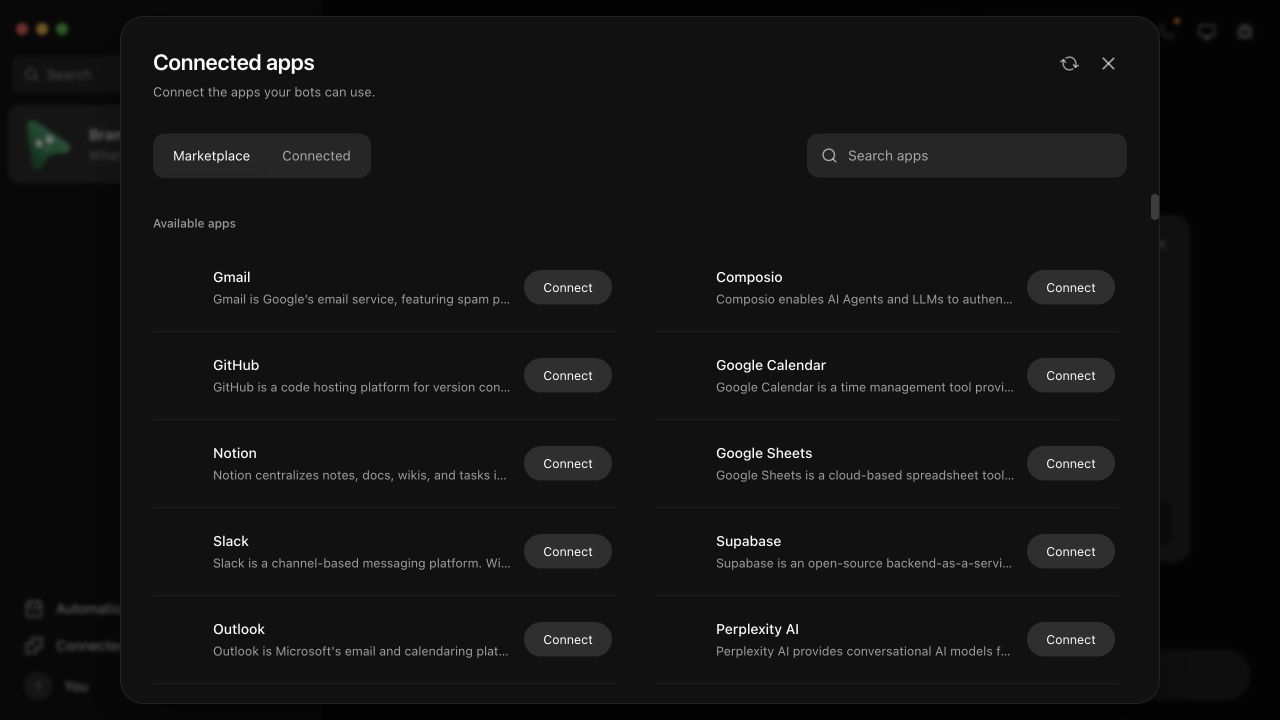
Open Connected apps from the sidebar, choose a service, and complete its authorization in your normal browser. Dash Bot turns the resulting connection into tools that supported agent engines can use.
Official packaged app
The signed desktop app registers its own installation with Dash Bot's managed connected-apps service. You do not need to find or paste a Composio key.
- Open Connected apps.
- Search for Gmail, GitHub, Slack, Notion, or another toolkit.
- Select Connect.
- Finish OAuth in the browser window that opens.
- Return to the app and ask a bot to use the service.
The installation identity is stored using Electron's operating-system-backed secure storage. Provider OAuth tokens remain with Composio and are not written into bot prompts or the renderer.
Self-hosted or source builds
The managed service is a convenience for official packaged builds. A source build can use your own Composio project and COMPOSIO_API_KEY; see Self-hosted Composio.
You can also use your own Composio project in the packaged app. Open App Settings → Connections → Self-host connected apps and paste its project key. A saved project key takes priority over the managed service for the marketplace, connection management, and bot tools. Clear the key to return to the managed service.
Connect X (Twitter)
Composio does not provide managed credentials for its twitter toolkit. To connect an X account:
- Create an app in the X Developer Portal.
- Create a
twitterauth config in your Composio project using that app's credentials. - Save the project's key under Self-host connected apps.
- Return to Connected apps and connect X (Twitter).
The official managed Dash Bot service keeps X disabled until it owns an appropriate X OAuth app. Older Dash Bot tasks that refer to the connector as x continue to work; Dash Bot translates that alias to Composio's twitter toolkit automatically.
Multiple accounts
Connect more than one account for the same toolkit and give each a clear alias such as work, personal, or client-acme. When several accounts could perform an action, Dash Bot requires explicit selection instead of silently replacing the first connection.
Disconnecting
Disconnecting an account revokes the upstream grant. It does not only hide the account in the local UI. Other accounts for the same toolkit remain connected.
No Connect key
Current official builds provision connected apps automatically. A Composio project key is only needed when you deliberately run the integration yourself.