
Agent engines
Use the agent subscriptions and CLIs you already have.
Dash Bot does not proxy every message through its own model account. It starts supported agent CLIs on your computer and normalizes their output through the local harness.
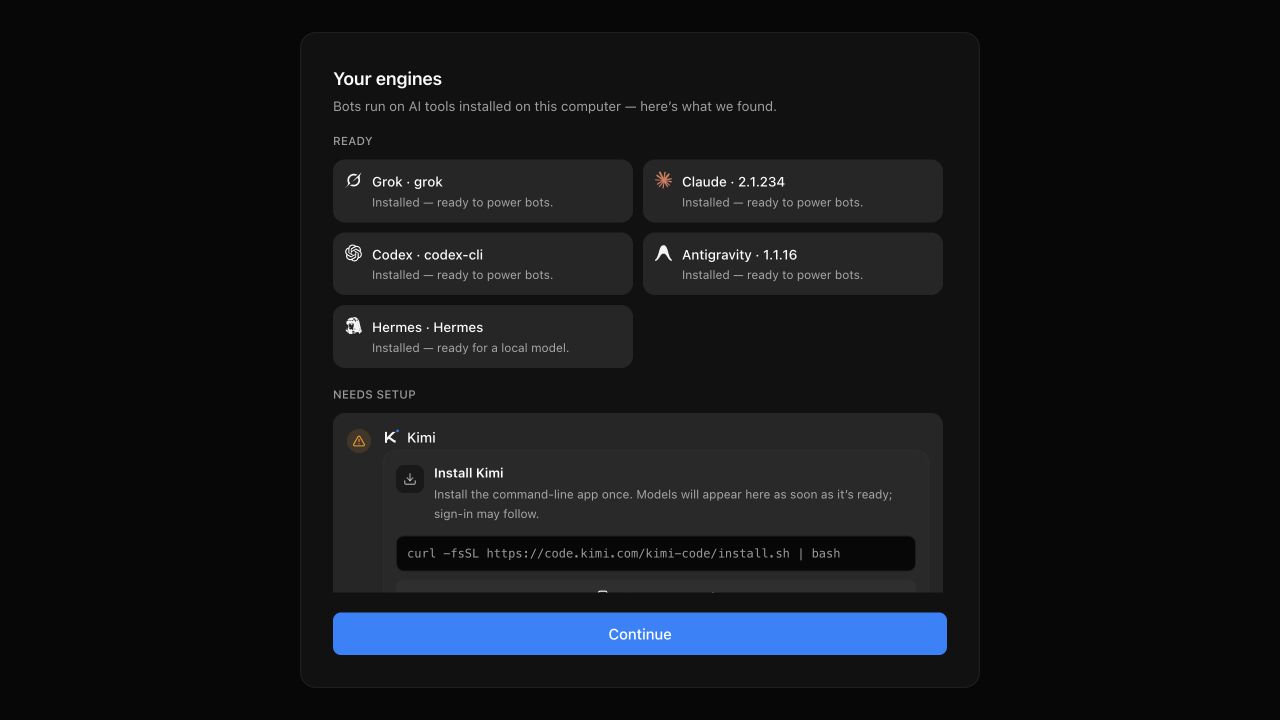
Built-in engines
| Engine | Authentication shape | Notes |
|---|---|---|
| Claude | Claude CLI login | Strong support for tools, approvals, sessions, and local computer use |
| Codex | Codex CLI login | Model discovery, approvals, steering, and computer tools |
| Grok | Grok CLI login | ACP-based local model catalog and session support |
| Cursor | Cursor Agent CLI login or API key | ACP driver with live model discovery |
| Kimi | Kimi CLI login | ACP integration |
| Droid | Factory Droid CLI login | ACP integration |
| Antigravity | Google account through the official ACP server | Managed install, isolated accounts, live models, and approval cards |
| OpenCode | Existing OpenCode provider login or optional API key | Live Zen, Go, third-party, and local model discovery through ACP |
| Qwen | Qwen CLI login | ACP integration |
| Hermes | Hermes CLI login | ACP integration |
| Pi | Pi CLI login | Native driver |
Additional driver instances can be declared in local configuration. Unavailable engines remain visible with a reason instead of crashing the provider fleet.
Detection
Dash Bot checks common installation directories and the login shell in the background. Restart the app after installing or authenticating a CLI.
If detection fails, use Settings → Engines to set an explicit executable path. This is supported for every engine and is the most reliable solution for version managers, wrappers, custom builds, and Windows installations outside the normal path.
Model selection
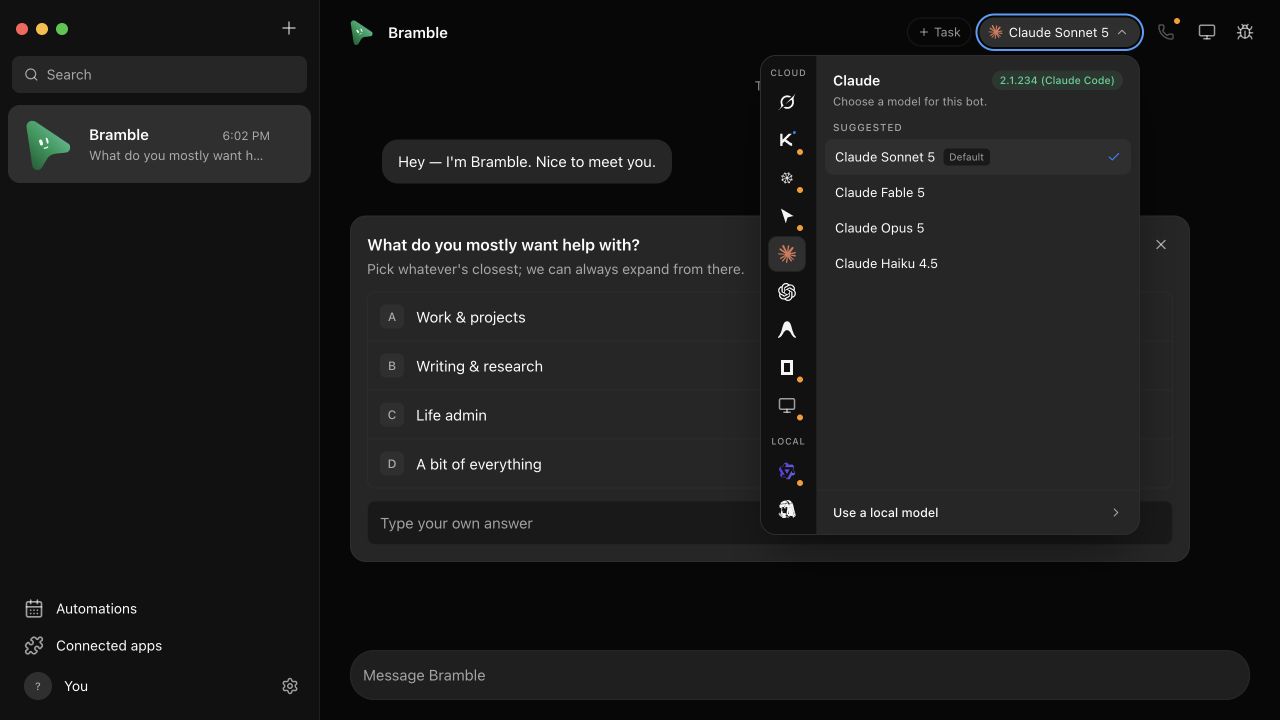
The model picker groups models by provider and marks defaults. Supported engines can refresh their model catalog from the installed CLI. Changing the model affects future turns; it does not rewrite earlier transcript history.
Multiple Claude accounts
Open Settings → Engines → Add Claude account and give the account a name, such as Work or Personal. Dash Bot creates a separate configuration-directory setting for it; it does not copy your existing login. Under Manage account and sign-in, copy the sign-in command and run it on the computer hosting Dash Bot, then choose Check account. On Windows, use PowerShell. Claude handles the browser sign-in and stores its own credentials.
In a bot's model picker, choose Claude, select Work or Personal in the Account dropdown, then choose a model to save the selection. Claude appears only once in the provider list. Each bot keeps its own selection, and the chat header shows the account name. Account changes apply to future turns and are blocked while that bot is responding; other bots are unaffected. Conversation history is not erased when you change the selection.
The original Default entry keeps using your existing CLI login. Advanced users can supply an existing, separate Claude configuration directory. Once an account has been used by bots or conversation history, add a new account instead of repointing its directory. Removing an account from Dash Bot does not delete its files or sign it out; first move any bots using it to another account.
This does not require a CLI proxy, and there is no automatic account rotation or fallback. Named account management currently supports Claude only.
Subscriptions stay with the provider
Your existing CLI login or provider API key determines access and billing. Dash Bot does not turn one subscription into access to another provider.