
Quick tour
Learn the six parts of Dash Bot before handing your first job to an agent.
1. Sidebar
The sidebar holds your bots, groups, automations, connected apps, profile, and app settings. Search looks through bot names and message history. Use New or share to create a bot or start a shared room.
2. Conversation
Messages are the work log. Agent replies, questions, approval requests, tool progress, attachments, and failures stay together in the conversation. You can pin, copy, react to, search, and retry messages.
3. Task mode
The Task button starts a separate unit of work without losing the main conversation. A task keeps its own status and result, which is useful for parallel or delegated work.
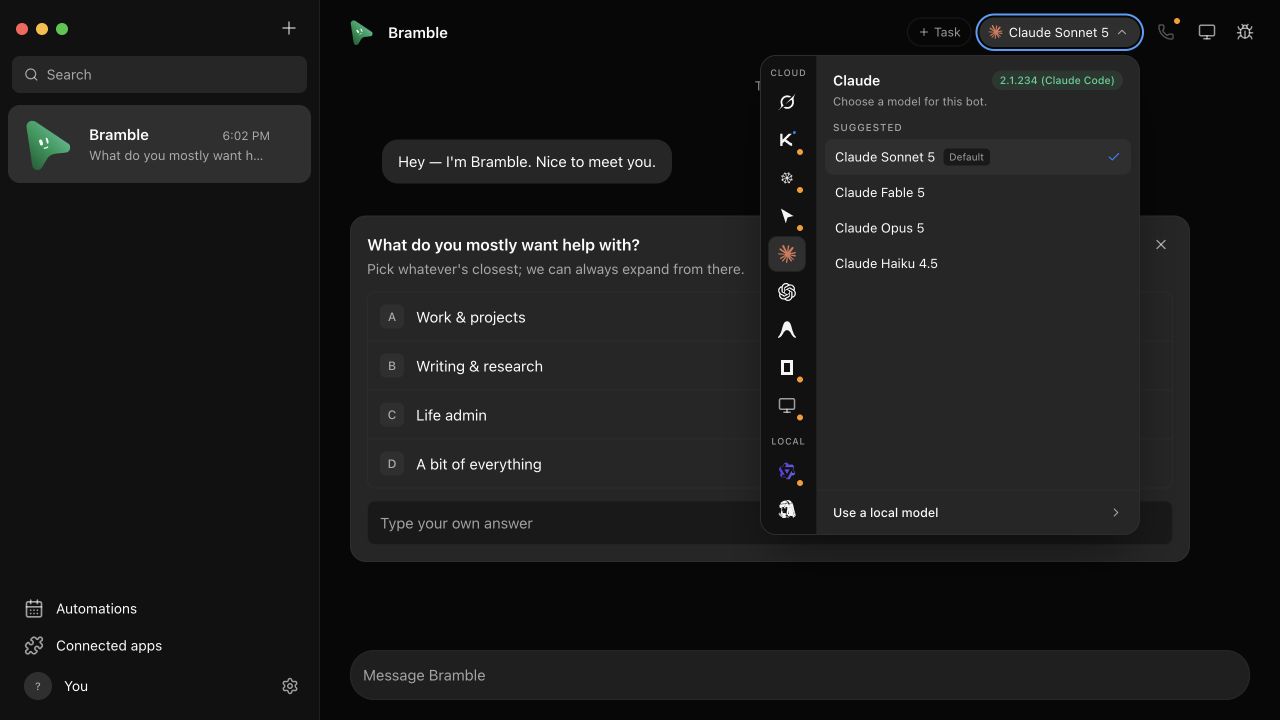
4. Model picker
Pick an agent engine and model per bot. The picker separates cloud-backed agent CLIs from local engines and shows what is installed on this machine.
5. Computer and inspector
Open Bot's computer to choose where visual work runs. Open Inspector to follow lower-level activity when a task is executing.
6. Connected apps and automations
Connected apps give bots authenticated tools. Automations turn a good prompt into scheduled or webhook-triggered work.